Live Poll: ask your class a question and watch the votes come in
November 28, 2026 · par mindofmike
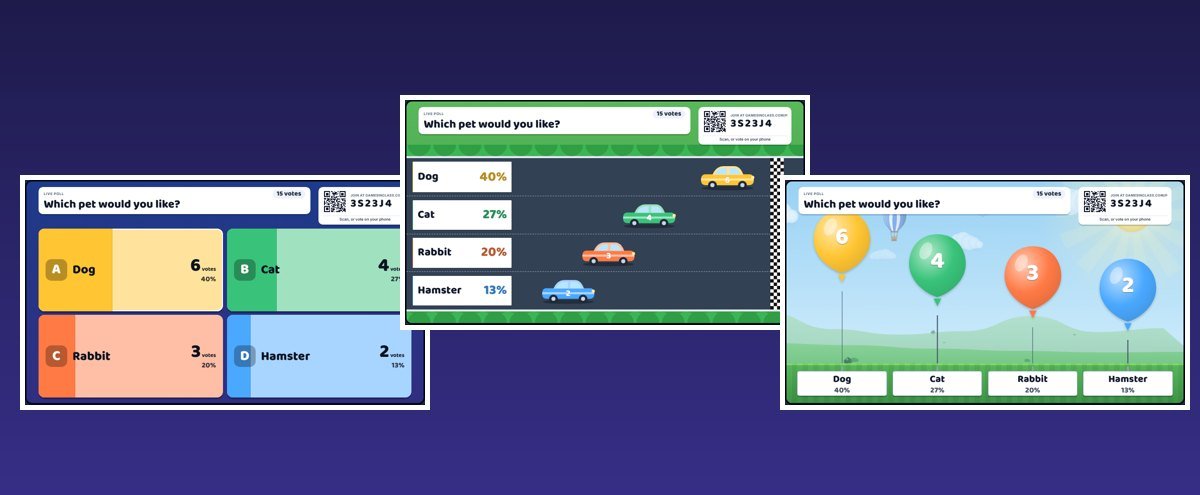
A show of hands tells you what the confident students think. A live poll tells you what everyone thinks, and it takes about a minute. You put a question on the board, students vote on their own phones or tablets, and the answers appear as they come in.
Live Poll is free to use. Students do not need an account: they scan a QR code or type a short code, and they are in.
Set it up in a minute
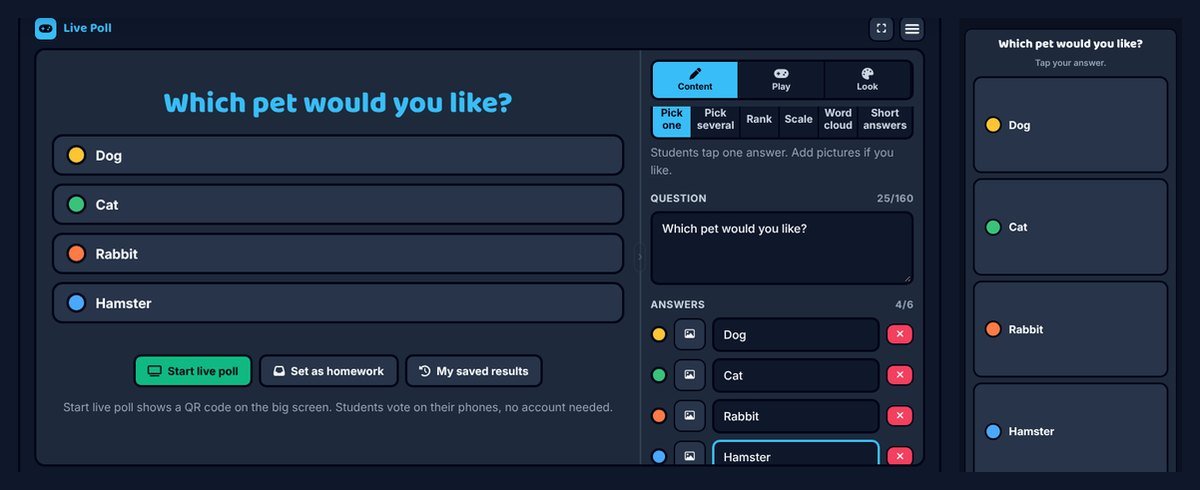
Type a question, add the answers, and press Start live poll. If you are short of ideas, the quick start buttons give you Yes / No, True / False, Agree / Disagree or A / B / C in one press, and Choose questions et Surprenez-moi offer ready-made ones.
There are six kinds of question:
- Pick one. The classic poll.
- Pick several. Students choose up to two, three, four or five answers.
- Rank. Students put the answers in order.
- Scale. Strongly disagree to strongly agree, faces, numbers from 1 to 5, stars, or "I do not get it" to "I can teach it".
- Word cloud. Every student types a word, and the most common words grow biggest.
- Short answers. Students write a sentence, and the answers appear as cards on the board.
You can add a picture to any answer, which is handy for younger students or for vocabulary ("Which one is a zebra?").
Choose how the board looks
The board is what the class stares at while the votes come in, so it should be fun to watch. On the Apparence tab, choose one of six.
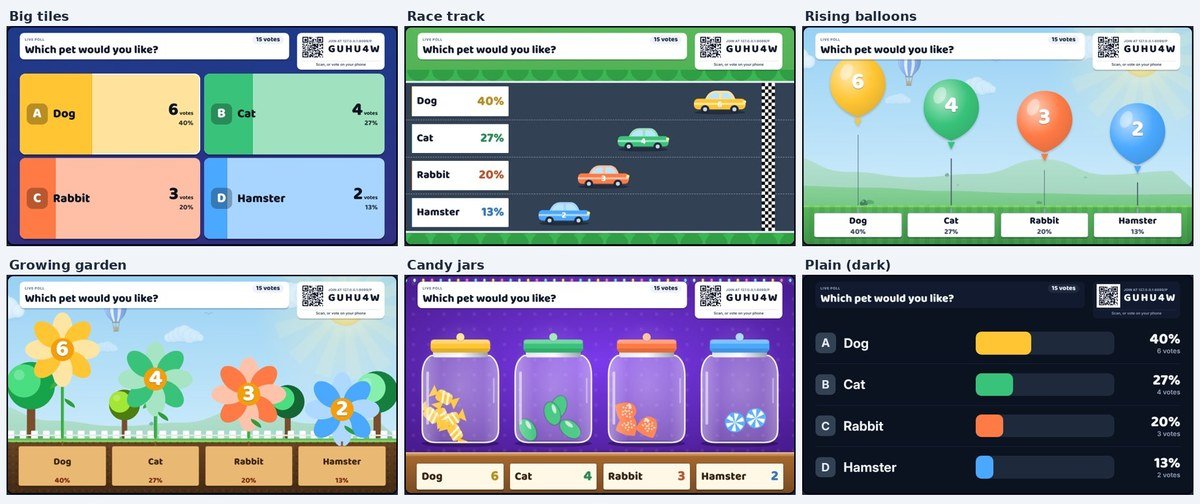
- Big tiles. Large colored tiles that fill up. Easy to read from the back of the room.
- Race track. Every answer is a car, and the most popular one pulls ahead.
- Rising balloons. The more votes an answer gets, the higher its balloon rises.
- Growing garden. The more votes an answer gets, the bigger its flower grows.
- Candy jars. Every vote drops a sweet into that answer's jar.
- Plain, and plain (dark). Simple bars with no decoration, for when you want a calm board or a serious question.
The question, the QR code and the join code stay at the top of the board, so late arrivals can join without asking you.
Run it from anywhere in the room
You do not have to stand at the computer. Open the phone remote from the board and you can control the poll from your own phone while you walk around. Close and reopen voting, hide the results, reveal them, save the results or show the join code again.
Two settings change how the poll plays. Tick Hide the results until I press Reveal if you do not want early votes to sway the rest of the class, and tick Students can change their answer if you want them to be able to think again after they see how the others voted.
Keep the results, or set the poll as homework
When the poll is over, press Save results to keep a copy that you can look at, compare and print later. To ask the same question outside class, press Set as homework, choose a class and, if you like, a deadline. Students answer in their own time, and you see the results when they are done.
Ideas for the classroom
- Warm-up. Start with a question about the students' own lives ("How did you get to school?"). It gets everyone using the tool and talking.
- Check understanding. Put up a scale with "I do not get it" to "I can teach it" at the end of a lesson, and use the result to plan the next one.
- Prediction. Ask "Which team will win?" or "What happens next in the story?" before you reveal the answer.
- Vocabulary vote. Show pictures as the answers and ask which one is the odd one out.
- Word cloud. Ask "Describe today's weather in one word" and watch the room agree.
- Class decisions. Let students vote on the game you play in the last ten minutes.
Try it: open Live Poll, make a question for tomorrow's class, and press Start live poll to see the board.