Greeting Card Maker Is live!
November 24, 2026 · por mindofmike
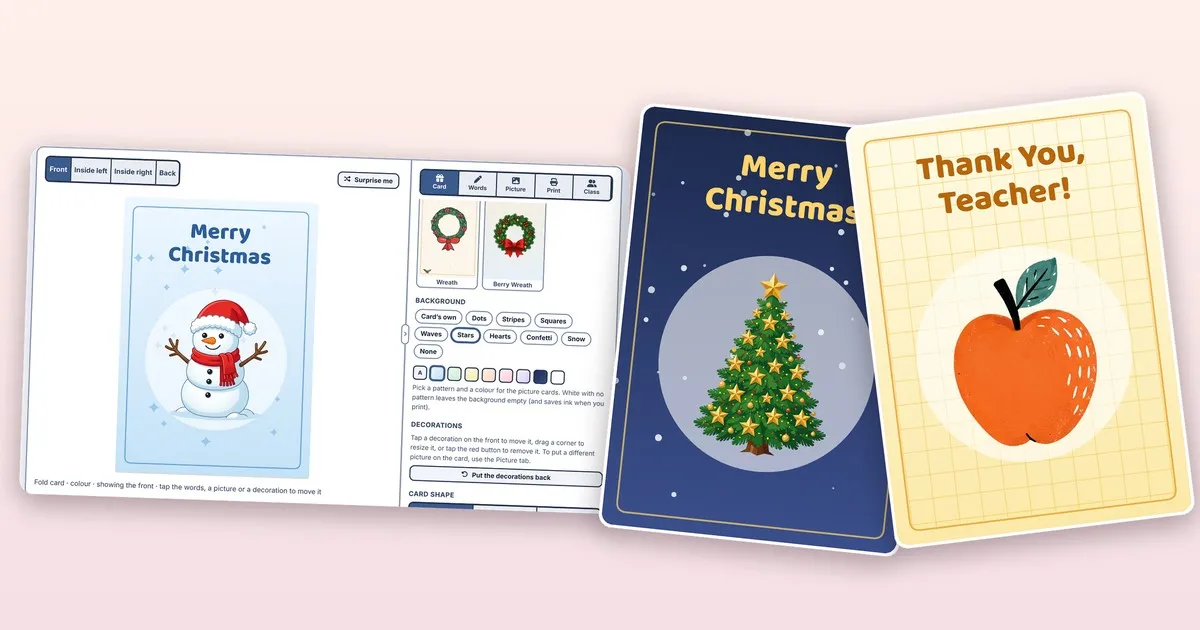
The Creador de tarjetas de felicitación is out! Students can make a real card in a few minutes, and it works well with a whole class.
What students do
Pick an occasion: Christmas, New Year, Lunar New Year, Valentine's Day, Birthday, Thank You, Teachers' Day, Easter, Halloween, Baby Shower or Get Well. Then choose a picture and change the words. The greeting and the message are already written, so even beginners can finish a card, and stronger students can write their own.
- Choose a background: a pattern (dots, stripes, squares, waves, stars, hearts, confetti or snow) and a colour, or leave it plain white.
- Add your own picture on the Picture tab.
- Pick a shape: a fold card, a two-sided card or a single sheet.
- Print it in colour, or in black and white to colour in by hand.
Tarea
Set the Greeting Card Maker for a class and students make their card at home. They hand it in from their own phone, tablet or computer, and you see it when you open the assignment. A card for a parent, a friend or a teacher is a good reason to write real English.
In class, on their own devices
You don't need a class set of computers. Start a box, show the Código QR on the board, and students scan it with their own devices. Each card appears on your board as soon as it is sent.
- Same rules for everyone: on the Class tab you can tick what every student must use, such as the occasion or the card shape. They can still change everything else.
- You approve first: cards can wait for your OK before they appear on the big screen or in printouts.
- Show and print: put the cards on the class board in big-screen mode, or print them or save them as a PDF.
The teacher remote
Abrir Mando en el móvil on the board page and scan the code with your phone. Then you can walk around the room and start or stop the timer, approve cards, change the big-screen look and close the box, without going back to the computer.
Try it now
Christmas and Teachers' Day cards are a good first try. Open the Greeting Card Maker, choose an occasion and have a go.